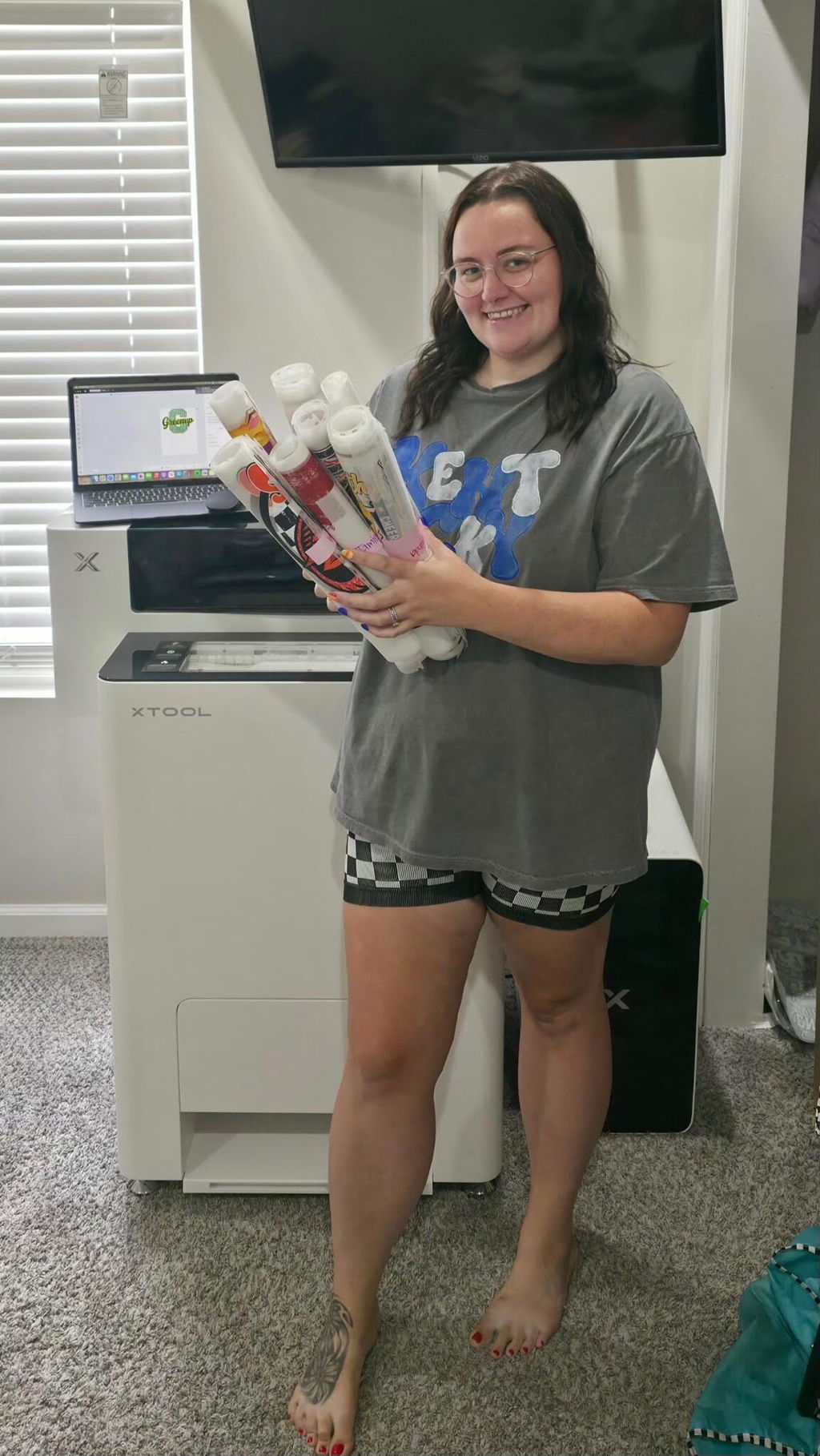
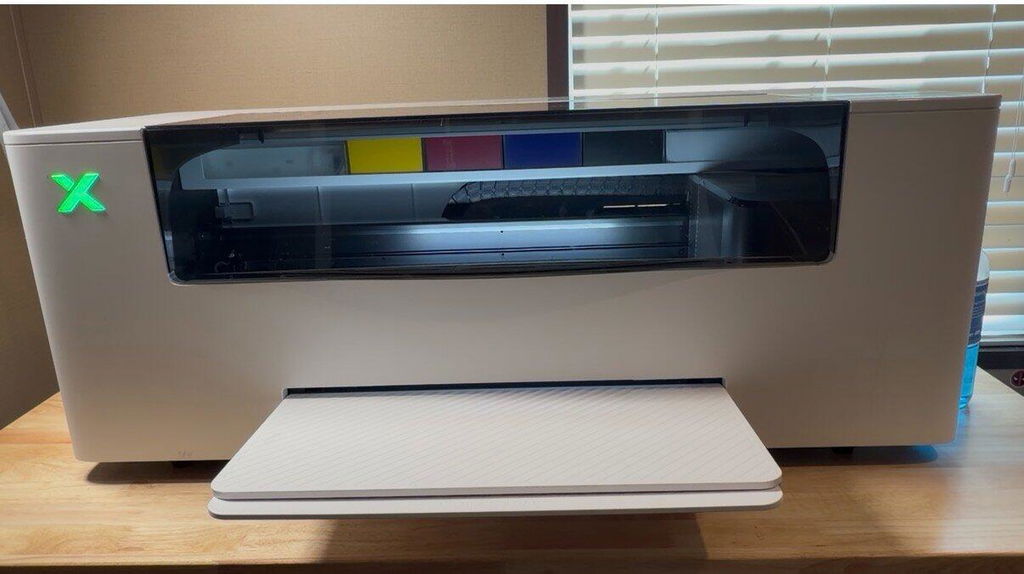
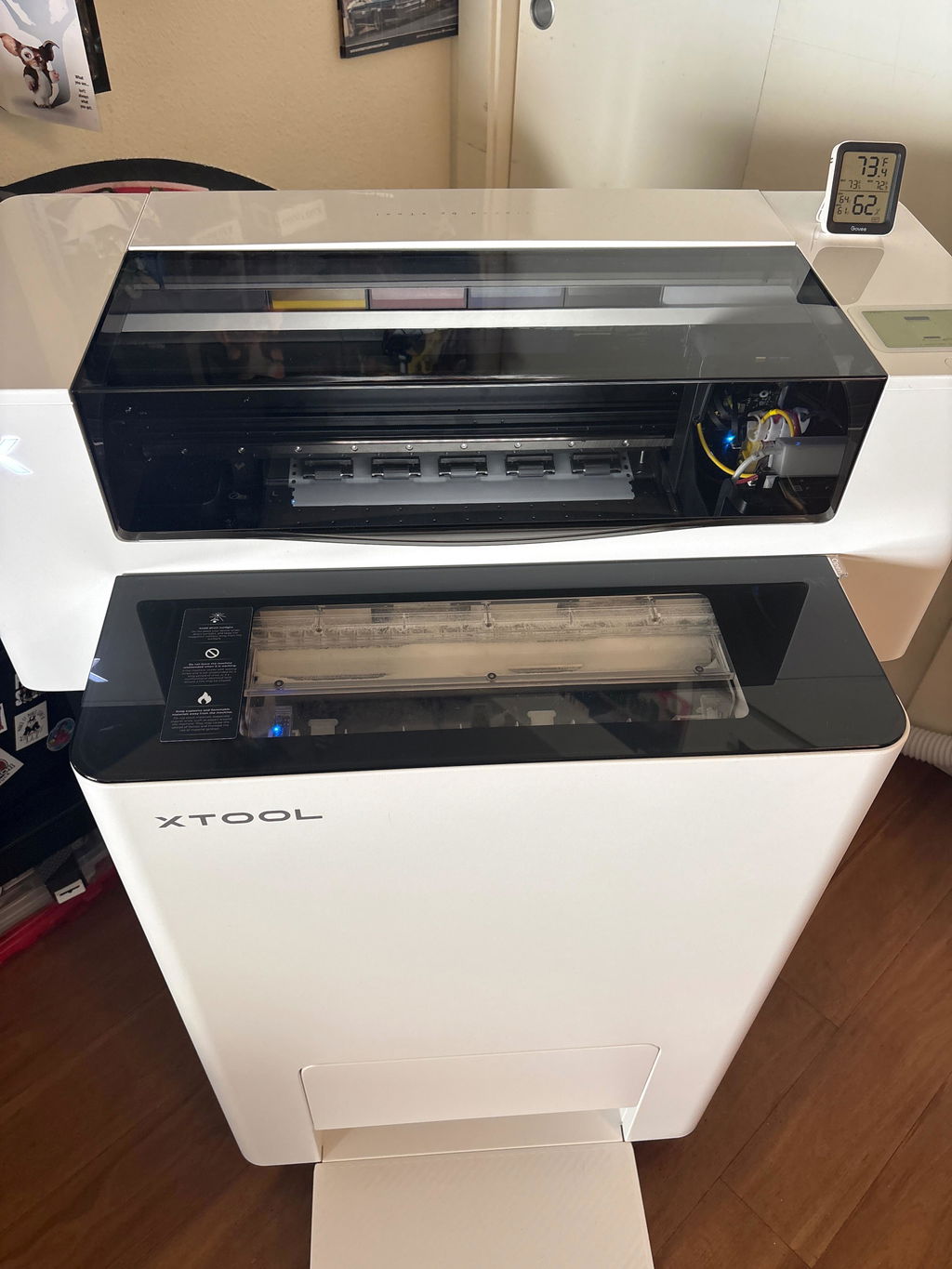
Built on insights from over 197,000 hours of real-world use and community feedback, Apparel Printer Plus brings targeted hardware and software upgrades for more consistent printing with less hands-on upkeep.


The built-in humidifier automatically turns on and off as needed to help maintain an optimal humidity range of 45–65% around the printheads, supporting consistent print quality even in dry conditions.
*Data based on internal laboratory testing at 30°C and 30% relative humidity. Actual performance may vary depending on operating conditions and environmental factors.
The upgraded dual-sensor system adds a dedicated temperature-and-humidity sensor near the printheads, detecting print-zone humidity changes in as little as 5 seconds for faster, more precise humidification control and consistent print quality.
A single damper replaces four narrow ink channels, leaving fewer places for white ink to settle and allowing more ink to circulate at once—helping reduce clogs.
Apparel Printer Plus brings advanced Automatic Wet Capping. After 24 hours of inactivity, Wet Capping Mode automatically seals the printheads and keeps the nozzles moist with moisturizing liquid, helping prevent residual ink from drying and reduce clogging risk.
¹ Based on a 10-day internal idle test versus the pre-optimization design. Results may vary by environment and usage.
² Based on xTool Lab testing of automated Wet Capping with a 1L waste tank under standard room conditions. Results may vary by environment and maintenance frequency.
Stay in control, even when you step away. Check print progress and printer status in the xTool Studio App, with real-time alerts when something needs your attention.
Our new mobile workflow lets you snap photos at a pop-up booth, refine designs with built-in AI, and send ready-to-print transfers straight to your machine—all from your phone.
See real profit breakdowns from our community: exactly what they made, how fast, and at what cost.
xTool Near You: 700+ Service Hubs & Demo Rooms Across North America
Experience the ultimate reassurance with xTool Squad’s comprehensive pre- and post-sale network. Visit our premier Demo Rooms to see the machine in action, get expert technical answers, and checkout with 100% confidence.
Real users, real businesses, incredible returns. See how xTool apparel printer is fueling growth for creators just like you.

"It helped us earn $600 within 5 hours."
Upgrading from a cheaper printer saved my business from constant downtime. xTool's auto-cleaning eliminates wasted time on maintenance. It lets me expand into apparel, easily handling 50-shirt rush orders within 5 hrs and focusing purely on growth.

"No more waiting films or POD. Faster turnaround."
A client needed custom golf swag for a last-minute event. We made 100 gloves within a 2-day turnaround. Impressed by its speed & quality. No more waiting days on film orders or POD services. We can print and deliver orders instantly whenever people need them. It wins you a loyal new customer for sure!

"The printing quality is what builds my reputation."
xTool printer's speed and quality let us expand from woodwork to apparel effortlessly. We turn ideas into vibrant, pro-level shirts incredibly fast. This directly translate to higher customer satisfaction and exciting new growth for our brand.

"One of the best printers I have ever seen."
Setup was swift, and we were printing our first paying job—basketball shirts—the very next day. The quality is Effortless and Flawless, giving us the confidence to handle an onslaught of new orders. Hands down, one of the best investments we've made for our clothing line.

"Clients were thrilled by the vibrant prints."
My largest order, 60 tote bags, came out perfectly. But the client's reaction is what matters most: they were thrilled and praised the vibrant and sharp prints. That’s the kind of quality that turns a happy client into a loyal one.

"Customers got their T-shirts within just 1 hour!"
A mom wanted 3 shirts to announce that her daughter was getting married. She messaged phone photos, and picked them up within the hour. I'm sure she'll be back again because of how quickly we made the shirts and how good they turned out.

"Looks amazing even after 5 washes."
This T-shirt, after 5 harsh washes (hot water, high dryer!), still looks amazing. Even with minimal white ink, the black outlines are flawless and durable. Customers are thrilled with this lasting quality, guaranteeing repeat business.
 % off
% off
% off
% off
% off
% off
% off
% off
% off
% off
% off
% off
% off
% off
Take a simple quiz and get product recommendations in 1 minute.
The xTool Apparel Printer Plus is based on DTF (Direct-to-Film) printing technology, but we’ve enhanced its features to make it more efficient and beginner-friendly. The printer is fully integrated with a baking system, automating processes like powder application, shaking, and curing that traditional DTF printers require. With just one click, the system processes and bakes your design within 5 minutes. All you need to do is heat-press the printed film onto any fabric.
Additionally, we’ve streamlined the software, so you can manage everything—from design to printing—within one program, eliminating the need for 3–5 separate tools typically required by traditional DTF printers.
xTool Apparel Printer Plus keeps the same one click DTF workflow as the original model, including printing, cutting, powdering, shaking, and curing.
The main upgrades are focused on better daily use and easier maintenance. Apparel Printer Plus adds a built-in smart humidifier, upgraded white ink damper, and wet capping system to help protect the printhead and improve white ink stability.
It also supports mobile app features, such as checking printer status, receiving alerts, and sending print jobs within the same local network.
In short, Apparel Printer Plus offers the same smooth printing workflow, with better printhead care, more stable performance, and smarter device management.
In addition, existing xTool Apparel Printer owners will also receive corresponding upgrade gifts. Eligible users can redeem the upgrade kit to enjoy key care features similar to Apparel Printer Plus.
Compared to screen printing, the xTool Apparel Printer Plus is better suited for personalized designs. It supports multi-color and complex patterns in a single print, achieving higher clarity and complexity than traditional screen printing. Plus, there’s virtually no need for manual cleaning after printing, thanks to its fully automated maintenance system, which greatly enhances efficiency and convenience.
Unlike sublimation, which only works on light-colored polyester fabrics, thexTool Apparel Printer Plus is compatible with all types and colors of fabrics. It performs especially well on the two most common clothing materials—cotton and polyester—ensuring vibrant and long-lasting designs that withstand multiple washes without fading.
Thanks to the support and feedback from our existing Apparel Printer users, we were able to collect valuable real-world usage data and develop new improvements for the Apparel Printer Plus experience.
To show our appreciation, xTool will provide existing xTool Apparel Printer owners with a free Upgrade Kit, including the Internal Humidity Module and the White Ink Damper Upgrade Kit. These upgrades are designed to help existing users enjoy key care features similar to those introduced with Apparel Printer Plus, including humidity care and wet capping support.
Please check the email address you used to purchase your xTool Apparel Printer for your exclusive upgrade information and discount code. To redeem the kit, select the full Upgrade Kit and apply your code at checkout. Shipping fees may still apply according to the official website’s shipping policy.
If you cannot find the email or have any questions about your eligibility, please contact the xTool Support Team. We will help verify your purchase and provide the necessary upgrade information.
Not at all. The xTool Apparel Printer Plus features fully automated lifecycle maintenance, meaning most of the time it requires no manual intervention. As long as the printer remains plugged in, it continuously monitors internal humidity and temperature to automatically trigger printhead cleaning and white ink circulation, reducing the risk of clogging.
You can also monitor key metrics via our mobile app, which provides real-time updates. If an issue arises that the printer cannot resolve on its own, the app will alert you with specific instructions to address the problem.
Our printers and shaker ovens come with a standard warranty of 12 months for most regions. Due to European legal requirements, the warranty period in Europe is extended to 24 months. As for the print heads, the warranty covers a single print head for a period of 6 month across all regions.
The film sold by xTool is hot peel (but we prefer to call it warm peel.). Peeling at high temperatures can sometimes mean the adhesive powder is still above 110°C (230°F) and has not fully solidified. However, it does not require cooling to room temperature before peeling, significantly enhancing your workflow efficiency for commercial use.
We do not recommend using third-party ink as there is a risk of clogging the printhead. However, if you are not using our baking machine, third-party printing film can be used, as long as you manually shake the powder and bake it. If you're using the OS1 Shaker Oven Machine, third-party printing film cannot be used.
Yes, the printer is compatible with all types of fabrics. It performs exceptionally well on cotton and polyester, with prints that can withstand 50–100 washes while maintaining their integrity and vibrant colors.
It is recommended to set the temperature to approximately 110°C (which is 230°F).Additionally, it is recommended that you preheat before use, which can be done on the printer's control panel. It is suggested that you preheat for about 20 minutes (although you can still use it without preheating, the curing effect may not reach the optimal state).
We suggest pressing at least twice, which helps to increase the durability and meet the requirements for more wash cycles (with a pressure greater than 0.7mpa). Place the fabric on the machine's heat press surface and preheat for 6 seconds.
The first press should be at 160°C (which is 320°F) for 6 seconds. After pressing, move the fabric to a cooler area to cool for about 10-20 seconds, then peel off the film. We recommend doing this quickly.
For the second press, place the pattern back on the same area and use the same heat press parameters (160°C/6S) to press again; try to place it in the middle area of the heat press machine.
If the pattern area is large, to ensure the quality of the finished product, we recommend a third press. You can place the top and bottom areas in the middle area of the heat press machine and re-press each with the same parameters (160°C/6S).
We do not recommend using IF2 as an exhaust fan for the xTool Apparel Printer Plus. The exhaust fumes from the apparel printers contain glycerin, which can adversely affect the IF2's motor over time and lead to a reduced lifespan.
Absolutely love this printer. Need a custom full-color shirt today? No problem
The customer service was great and the reason they are getting 5 stars. Thanks to the guys at Data first Solutions!
Makes printing so much more easy and efficient for me as a special needs mom. I went from printing 1 print in 15 mins or less to 1 print in under 5 minutes. So thankful to have found xtool and truly have enjoyed it this far
Best DTF I have ever owned. I wished I had gotten it sooner.I spent so much money trying to fix my previous DTF printer. This thing is amazing, I've had it for a few weeks and have yet to wake up and wonder where my white ink has gone or why my printer is not printing. I have to say that one of my favorite things about the printer is the automatic cutting along with the self maintence. Something I didn't here people mention before I got this printer, was that I can run a cleaning from anywhere in my home. I love it.
I love this printer so far and David was very helpful
Important Note:
We will send you a notification as soon as this product is available again.
Email is required.
Email is required.
We respect your privacy and do not share your email with anyone else.
We will send you a notification as soon as this product is available again.