

Why Upgrade to the xTool M2?
See what you gain when you move from your used machine to the easiest craft laser with color printing.
Get Inspired by Real Crafters


Everyday Making, Everyday Magic — By People Like You

"Here are a couple things I made on the new M2. The camera system did amazing. And the framing blew this project out of the water. M2 is going to be an excellent addition to my studio, especially for color print projects."

"I was previously the "On air trainer" at Cricut, and have extensive experience creating projects. I have also tried crepe paper and felt, the crepe paper started to blow away so I added a piece of felt on top of the crepe paper and was able to cut multiple layers of paper and felt in a way that I NEVER would have been able to do with something like a Cricut. I am very excited for the possibilities of cutting detailed applique and embroidery projects, which led me to try cutting more felt projects and leather."

"I’ve already created a ton of projects with the M2, and it’s truly a fantastic machine. You can even adjust the ink concentration levels to your liking for seamless, back-to-back printing. If you're looking for that effortless beginner experience—where you get a full catalog of material settings and a library of ready-to-make project ideas right inside the software—this is a great entry point."

"Working on an idea! This is a local Nursery that I've had the pleasure to design this logo and make several business marketing items for. From her social media logos to vinyl for her nursery sign and vinyl on the back window of her vehicle. To a sublimated shirt. Now that I have a laser engraving machine, I'm testing an idea! It would look so much better keeping the vibrant greens with the inkjet module, but I'm thrilled that the 10w laser can engrave it just as beautifully."

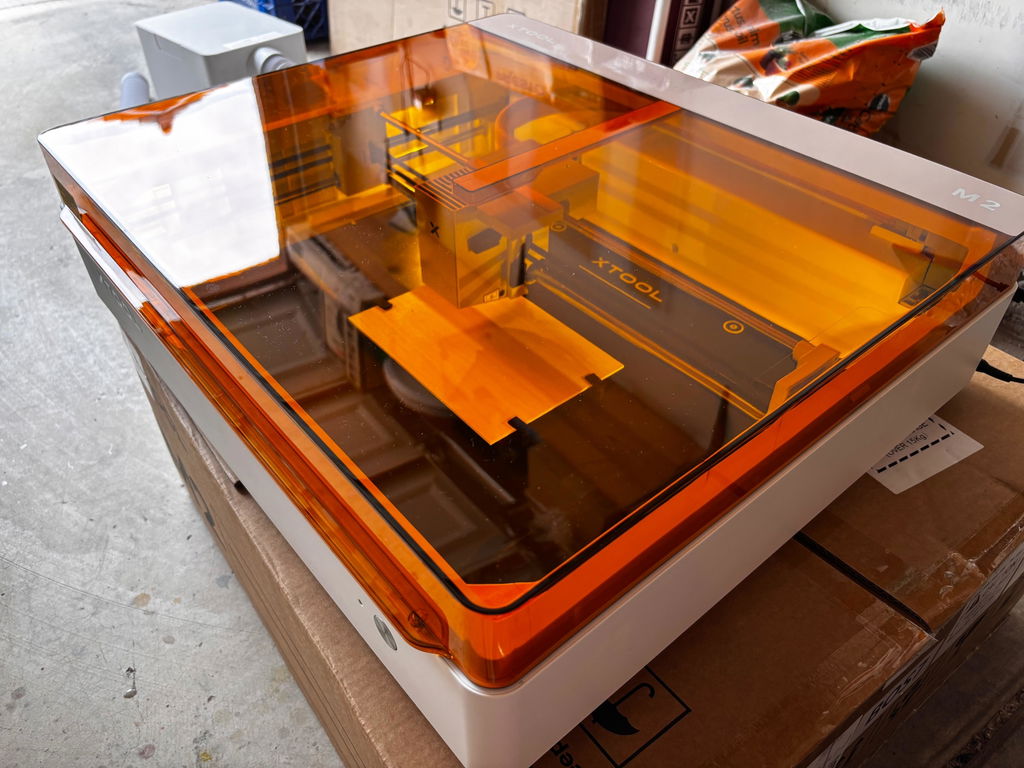
"I am brand new to a machine like this. I am very impressed with how well it was packaged. The machine itself is beautifully made and feels like good quality. I am very excited to make my first project!"

"I’ve been experimenting more with my new xtool m2 laser cutter and learning how to use the print functions. I have to say I am absolutely amazed by how projects printed directly on wood come out! The software has also been very easy to learn and use- if you have used cricut or silhouette design studio, it’s pretty easy to figure out how to do all the functions you know and love. I made this sweet 3d vignette out of 3 layers of basswood, all printed and cut by the M2 and it’s going to a special Robin Hood and Maid Marian lover in my life."
Trusted by Creators, Proven for ROI

"It is just super smart. I am so excited about the camera system. The ink is absolutely gorgeous and perfect."

"The most sensible solution that I've honestly seen on the market for crafters or small side hustles."

"This is the best everyday craft laser. The built-in camera takes the frustration out of crafting."

"I don't need to shill for xTool, they sell themselves. Every time you close the lid, it'll do all of this for you automatically: the photo and the measurement."
Power Options for Every Creative Goal.
Switch between 10W/20W blue diode lasers, 3W IR, or the inkjet module to match your specific workflow. The M2 adapts to every project you imagine.
A Wide Range of Accessories
to Make Creating Easier


No Guessing. Your Settings are Ready.
Premium materials for xTool M2
 % off
% off
% off
% off
What Are the Advantages of the M2 Ink Cartridge?
Print More Pages. High Capacity.
Actual page yield may vary depending on print content. Based on ISO/IEC 24712 standard at 5% page coverage, with standard concentration on paper: est. 800 pages; at 100% concentration/high precision: est. 400 pages. Estimated Page Yield: CMY up to 1,280 pages per color, K up to 1,080 pages (Comparable to HP OfficeJet Pro 9020)
Print on More Materials. Not Just Paper.
Unlike home printers, xTool M2 brings your colorful ideas beyond paper. Print full-color designs directly onto more materials — then craft them into decorations, accessories, and one-of-a-kind creations. Since the ink is water-based, keep your finished pieces away from water to preserve the colors.
In the Box
FAQ
Orders are shipped on a first-come, first-served basis. Orders placed within the first 7 days of launch will ship within 3-7 business days.
The inkjet module can print on fabrics, boards, printing paper, and similar materials. However, it cannot print on very dense or smooth surfaces such as metal, glass, and ceramic, as the ink cannot penetrate or adhere properly. These materials can be printed on after applying a suitable ink-receptive coating.
Ink longevity depends on your usage frequency. Under the ISO/IEC 24712 standard at 5% coverage, a single cartridge yields approximately 400 pages.
To extend ink life:
Replacement: Ink cannot be refilled. Please purchase a new cartridge and follow the replacement instructions in the user manual.
With M2's horizontal laser output, it engraves 0–100 mm objects like tumblers, balls, and rings — no riser base required.
For regular laser use, we recommend the xTool Desktop Air Purifier as a cost-effective option.For frequent cutting or materials that produce stronger odors, we recommend the SafetyPro™ AP2 Air Purifier for stronger filtration and better odor control.
Already own an xTool Desktop Air Purifier? The M2 adapter will be included automatically for eligible same-email orders. If it is missing, please submit a support ticket here: [https://support.xtool.com/replacement-parts?from=support_home] to receive one for free after verification.
To reduce laser energy transfer and prevent yellowing along paper edges:
These methods help dissipate laser energy and reduce scorch marks.
No. The M2 features a built-in air pump. It delivers the exact same clean results as an external setup. Users can adjust the air pump's power output based on their specific engraving or cutting needs.
Note: The M2 does not have an external air port, so connecting a third-party air pump is not supported.
Yes. To use RA3 with xTool M2, you will need the M2 Adapter Kit. The kit is not yet available for purchase and is expected to launch around the end of June. Please refer to the product page for the latest availability.
Note: The M2 does not have an external air port, so connecting a third-party air pump is not supported.
M2 supports printing, cutting, and engraving on materials such as paper, fabric, wood, leather, acrylic, metal, and more, depending on the module used. Never laser PVC, PC, or leather and foam with unknown compositions. Check the M2 Material Cheat Sheet for Beginners for detailed compatibility and safety information.
Delai de livraison correct
I cannot wait to start working on my own machine. I have been using a friend's and I am so excited to actually getting one!
I looked at the X tool machines for close 2 1/2 years. I knew I wanted to invest in one but wasn’t quite sure what would be right for me as a home crafter when I saw this model I was really sure it was gonna be the right one for me now that I’ve had it for a little while. I know it’s the right one for me! It has opened so many possibilities that I had not even thought of in just a little bit of time of usage.
I’m very satisfied with the xTool M2. The machine is well-built, easy to use, and delivers precise, professional-looking results. The software is user-friendly, making it suitable for both beginners and experienced creators. It’s a reliable and versatile machine for creative projects and small businesses. Highly recommended!
Perfect little craft machine. Probably printed and cut over 400 stickers already and still haven’t run out ink yet. Still have yet to unlock its full potential and pretty much paid itself off. Small investment, Big return quick
We will send you a notification as soon as this product is available again.
Email is required.
Email is required.
We respect your privacy and do not share your email with anyone else.
We will send you a notification as soon as this product is available again.