

Learn all about lasers before you get one.

Learn all about lasers before you get one.
Learn all about lasers before you get one.

Your first time here? New to laser machines, but want to make it a side hobby or make money out of it? We have prepared this guide page for any laser beginner like you, to walk you through all the necessary knowledge you need before starting your laser engraving/cutting journey with xTool.
This page is for people who belong to one of the groups below:
• You are completely new to the laser machine;
• You are wondering which xTool machine is a perfect choice for you;
• You already own an xTool machine, but need detailed guidance for starting your first laser project;
• You already have an xTool machine, but need a list of laser engraving ideas to practice your skills;
• You already have an xTool machine, but need instructions on the software part to bring out the best of the machine.

The blue diode laser is a popular choice for beginners. It can engrave/cut wood, leather, paper, etch paint, but is less effective on white paint, certain blues, and clear acrylics. It has a 455nm wavelength and is the cheapest of the 4 types.
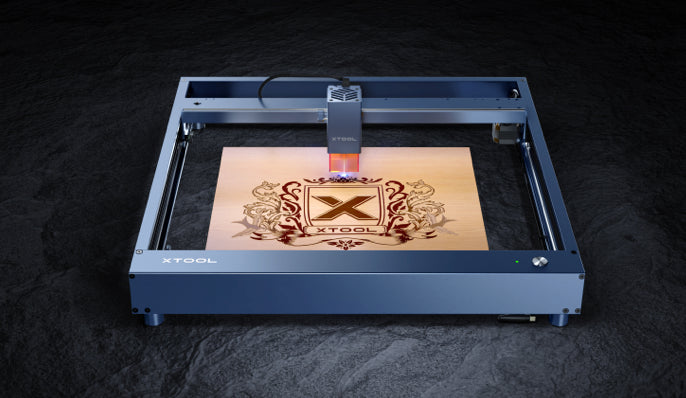
The blue diode laser is a popular choice for beginners. It can engrave/cut wood, leather, paper, etch paint, but is less effective on white paint, certain blues, and clear acrylics. It has a 455nm wavelength and is the cheapest of the 4 types.

The blue diode laser is a popular choice for beginners. It can engrave/cut wood, leather, paper, etch paint, but is less effective onwhite paint, certainblues, and clear acrylics. It has a 455nm wave length and is the cheapest of the 4 types.

Laser engraver prices vary from a few hundred to several thousand dollars.
Blue lasers are the cheapest, while fiber lasers can cost over $10,000. The xTool D1 Pro 10W, costing $1,000, is recommended for beginners.

Desktop lasers are about 610mm x 610mm (24" x 24") with a working area of 400mm x 400mm (15.75" x 15.75"). They are lightweight (~5kg) and portable. Larger CO2 and fiber lasers may require special equipment or multiple people to move and won't fit through standard door frames.

Accessories can be crucial for engraving/cutting larger or taller objects. Brands that don't provide extensions/accessories should be avoided. xTool provides solutions for potential pain points.

Before purchasing a laser, determine the type of operation you intend to perform. CO2 lasers work best with clear acrylics, blue diode lasers are great for wood, while galvo or fiber lasers are needed for engraving metals or faster operations.

Software is a key consideration when buying a laser. Most lasers don't come with software, so you may need to download third-party software or purchase it separately like LightBurn. Consider the cost and the learning curve, especially if you're new to laser technology. xTool lasers come with free, beginner-friendly software (XCS).

Start your laser side hustle journey with a desktop diode laser. These machines are lightweight, easy to use, and have low maintenance. CO2 and fiber lasers are more maintenance-intensive and require specific skill sets. Progression usually goes from desktop laser to CO2 to fiber.

Laser engraver prices vary from a few hundred to several thousand dollars. Blue lasers are the cheapest, while fiberlasers can cost over $10,000. The xTool D1 Pro 10W, costing $1,000, is recommended for beginners.

Desktop lasers are about 610mm x 610mm (24" x 24") with a working area of 400mm x 400mm (15.75" x 15.75"). They are lightweight (-5kg) and portable. Larger CO2 and fiber lasers may require special equipment or multiple people to move and won't fitthrough standard door frames.

Accessories can be crucial for engraving/cutting larger or taller objects. Brands that don't provide extensions/accessories should be avoided. xTool provides solutions for potential pain points.

Before purchasing a laser, determine the type of operation you intend to perform. CO2 lasers work best with clear acrylics, blue diode lasers are great for wood, while galvo or fiberlasers are needed for engraving metals or faster operations.

Software is a key consideration when buying a laser. Most lasers don't come with software, so you may need to download third-party software or purchase it separately like LightBurn. Consider the cost and the learning curve, especially if you're new to laser technology. xTool lasers come with free, beginner-friendly software (XCS).

Start your laser side hustle journey with a desktop diode laser. These machines are lightweight, easy to use, and have low maintenance. CO2 and fiber lasers are more maintenance-intensive and require specific skill sets. Progression usually goes from desktop laser to CO2 to fiber.

More projects>

More projects>

More projects>


Investing in a quality laser engraving machine can help businesses offer on-demand engraving services such as custom signage and personalized gifts, generating a steady income with effective marketing.
Use laser engraving machines to create personalized items and sell them online on platforms like Etsy and Amazon. With a high-quality machine and innovative designs, you can produce precise and detailed products that appeal to a large audience and generate a steady stream of income.


Laser engraving is a great way for companies to add their logo or branding to items like pens, keychains, and phone cases, which can then be used as promotional giveaways or thank-you gifts. This helps businesses stand out and increase brand recognition.

Beaux Branch
Beaux Branch, a veteran, woodworker and proud xTool D1 user, tells his story of how he started the laser creation and truned it into a a business he keeps on making money from.
Watch more
Scott Mumma
Scott Mumma, as he himself puts it, is at his garage laser creating, if he is not working. This obsession with xTool's machine has been passed on to his family and now keeping his SB Laser Creation and More business growing.

Melissa Stott
xTool M1, to Melissa Stott, is more like a crafting toy she and her boy use to entertain themselves, rather than a machine of productivity to make money. But that doesn't make it any less rewarding and even educational, if you have a crafting boy just like she does.

It's a 55W laser cutter that comes with many innovative feature. It enables users to engrave extra long materials, curved surfaces and high objects. If you are a business owner andwant a machine with higher cutting capacity, this is the one you need.
Learn more >
It's an enclosed, safe and powerful diode laser that offers switchable models. You can choose from different laser head assemblies of 40w, 20w and 10w for engraving according to your needs. Whether you want to choose a machine for your home studio, or workspace, xTool S1 always offers you a variety of solutions with multiple innovations, powerful features and safety care.
Learn more >


With a maximum engraving speed of 4000mm/s, xTool F1 is the fastest laser engraver that is portable and user friendly. assembled with both infrared and blue laser, you can use it to engrave on almost all metal materials such as gold, silver, plstinum and even plastic, making itself a perfec choice for gift making and jewelry customization.
Learn more >
xTool M1 Ultra, featuring in laser engraving and blade cutting, is a perfect machine for you if you need a handy tool to make little personalized gifts and it’s easy to work with.


The diode laser engraver xTool D1 Pro specializes in its open structure that enables it to engrave and cut objects that are higher, wider etc. It offers guaranteed professional performance. If you're looking for a cost-effective choice, you can choose it to enjoy a smooth, professional engraving experience.
Learn more >

Beaux Branch, a veteran, woodworker and proud xTool D1 user, tells his story of how he started the laser creation and truned it into a a business he keeps on making money from.

Scott Mumma, as he himself puts it, is at his garage laser creating, if he is not working. This obsession with xTool's machine has been passed on to his family and now keeping his SB Laser Creation and More business growing.

xTool M1, to Melissa Stott, is more like a crafting toy she and her boy use to entertain themselves, rather than a machine of productivity to make money. But that doesn't make it any less rewarding and even educational, if you have a crafting boy just like she does.


xTool offers free software XCS and provides numerous project files and step-by-step guides, making it easier for laser beginners to learn quickly and start earning.

xTool provides laser engraver and cutter machines, project ideas, and tutorials. They also offer high-quality plywood or acrylic sheets, compatible accessories, and extensions to expand machine capacity as your business grows.

xTool offers free software XCS and provides numerous project files and step-by-step guides, making it easier for laser beginners to learn quickly and start earning.

xTool has active Facebook groups where thousands of real users share ideas, offer assistance, and exclusive deals. Beginners can benefit a lot from this supportive community.

xTool offers free software XCS and provides numerous project files and step-by-step guides, making it easier for laser beginners to learn quickly and start earning.

xTool provides laser engraver and cutter machines, project ideas, and tutorials. They also offer high-quality plywood or acrylic sheets, compatible accessories, and extensions to expand machine capacity as your business grows.

xTool's laser machines come in various sizes and power levels to meet different cutting and engraving needs across materials, from wood and acrylics to metals and plastics.

xTool has active Facebook groups where thousands of real users share ideas, offer assistance, and exclusive deals. Beginners can benefit a lot from this supportive community.


