
3 Best Glowforge Alternatives
Glowforge was the machine that made desktop laser cutting popular. For years, it was the go-to choice for makers and small businesses because it was easy to use and delivered great results. This has now changed.
Today, there are stronger alternatives that offer more power, faster speeds, larger workspaces, and better value, all while keeping the same beginner-friendly experience. In this guide, We will be covering the 3 best Glowforge alternatives right now and how they compare to the Glowforge Aura and Pro.
In This Article
- xTool M1
- xTool P2
- Flux Beambox Pro
- FAQs on Glowforge Alternative
- Conclusion
xTool M1 (Best Alternative to Glowforge Aura)
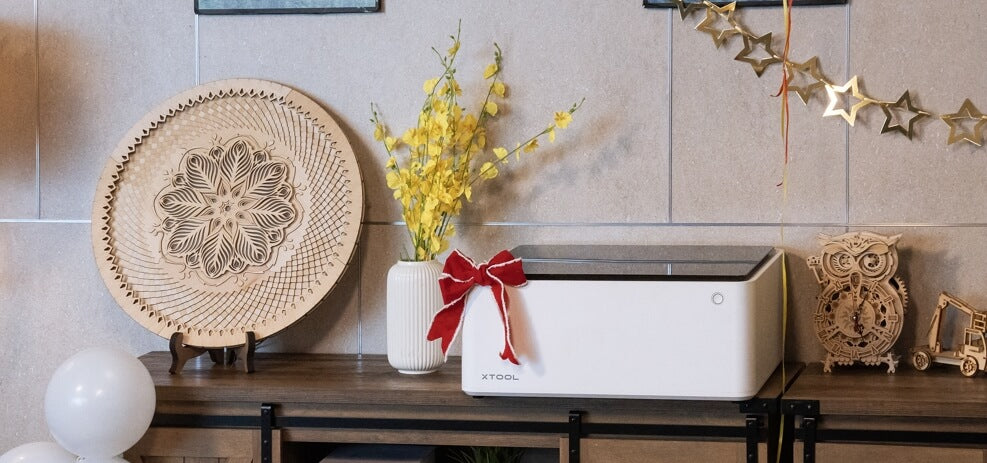
Add-Ons: Rotary Engraving Attachment, Riser Base
The first product on our list is a compact hybrid laser cutter, xTool M1. Its price, size, and functionality are similar to what people expect from Glowforge. However, it excels in multiple areas.
It is the market's first and only hybrid cutter with both a laser and blade cutter. While Glowforge Aura’s 6W optical cuts up to a ¼ inch (6.35mm), the M1's 10W laser module slices through 8mm thick basswood in a single pass. With that power, it is capable of engraving hundreds of materials including metals. Moreover, its processing area, at 385 x 300mm, is also slightly larger.
Precision-wise, the M1 leads the pack. Its laser spot size is a mere 0.08 by 0.08 mm. Though Glowforge’s engraving speed is unspecified, it probably doesn’t surpass M1’s impressive 250mm/s.
A standout feature of xTool M1 is its support for rotary laser engraving with the additional RA2 Pro attachment. Both machines have internal cameras for workspace preview, but M1 is a step ahead with a 16MP high-resolution camera which not only provides clear visuals of the workspace but also lets you engrave on multiple objects at once.
xTool M1 is controlled with XCS. It’s too simple to use for even beginners and works on most operating systems (Windows, MacOS, iPadOS, IOS, Android).
The laser machine is fully compact with an enclosed design and safety lid that keeps you safe from laser and fumes during the cutting operation. You may check out a detailed one-to-one comparison, xTool M1 vs Glowforge Aura, here.
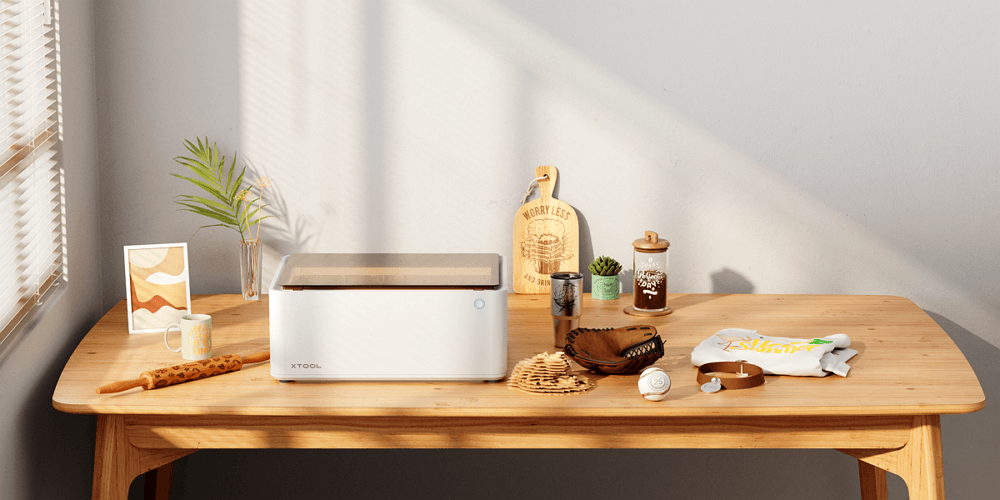
xTool M1 Smart Laser Cutter and Vinyl Cutter
How it’s Better than Aura?
- World’s first blade + laser cutter
- Top Engraving Speed of 250mm/s
- 16MP internal camera to support batch engraving
- Small spot size, 0.08mm by 0.08mmc
- Motion accuracy of 0.01mm.
xTool P3 (Best Alternative to Glowforge Pro)

Looking for something more powerful than the Glowforge Pro? The xTool P3 is built for serious small business production. It takes everything users liked about the P2 series and pushes it much further in speed, automation, workspace, and material compatibility.
The biggest upgrade starts with power. The P3 comes with an 80W CO2 laser, making it significantly more powerful than Glowforge Pro’s 45W setup. With that power, it can cut through 25mm acrylic and 20mm basswood in a single pass. For businesses handling larger orders or thicker materials, that extra cutting capability makes a noticeable difference.
Speed is another major jump. The P3 reaches engraving speeds of up to 1200 mm/s, which is substantially faster than most desktop CO2 laser cutters in this category. Combined with its higher acceleration system, it helps reduce production time and improves workflow efficiency for batch jobs.
The workspace is also much larger. At 915 x 458mm (36 x 18 inches), the P3 offers around 2.3x more working area than the P2S and noticeably more room than Glowforge Pro. That extra space makes it easier to handle larger signs, décor pieces, bulk engraving jobs, and oversized materials without constant repositioning.
The camera system is another standout feature. The P3 uses a 16MP SkyView panoramic camera, a close-range detail camera, and additional side cameras to create an accurate live preview directly inside the software. You can drag designs exactly where you want them without wasting materials on test runs.

It is not just flat materials either. The P3 handles curved surfaces using LiDAR-based auto-surface scanning to create a 3D model before engraving. It also supports the upgraded RA3 rotary system, which adds 360° mapping and batch rotary engraving for items like mugs, tumblers, and rings.
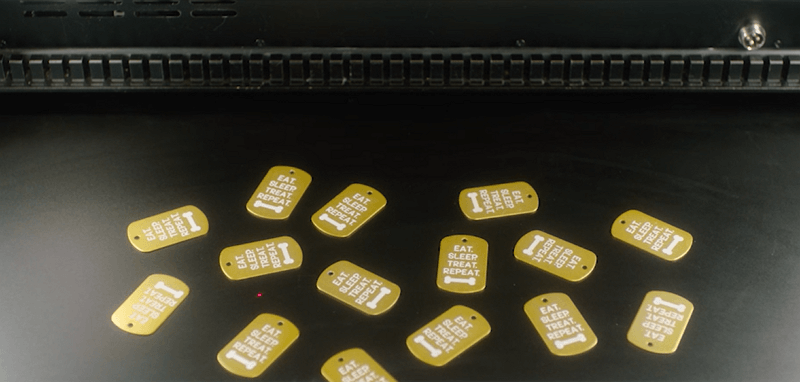
One of the biggest upgrades is the built-in AutoLift base. Unlike older models that require manual adjustments or separate risers, the P3 automatically adjusts height and supports objects up to 220mm tall. This makes engraving on bulky items like boxes, bags, and thick materials much easier right out of the box.
The P3 also introduces the new ACS™ (Automated Creation System). This workflow combines auto-positioning, autofocus, LiDAR ranging, and automatic height adjustment into one seamless process. You place your material inside, and the machine handles most of the setup automatically.
Another major advantage is the optional 5W IR laser module. This expands the range of materials the P3 can handle by allowing direct engraving on metals and certain plastics, something standard CO2 machines typically struggle with.
Safety is also a huge improvement here. Unlike many desktop CO2 lasers that operate as Class 4 systems, the P3 is a certified Class 1 laser product. It uses multiple infrared sensors, side cameras, temperature monitoring, and a built-in CO2 fire suppression system to create a much safer enclosed workflow.
The P3 also supports Lightburn along with xTool Creative Space (XCS), giving users flexibility depending on their workflow preferences.
xTool P3 80W Desktop CO2 Laser Cutter
How it’s Better than Glowforge Pro?
xTool P3 is built more for serious small business production than Glowforge Pro. It comes with a more powerful 80W CO2 laser compared to Glowforge Pro’s 45W setup, which means faster cutting, cleaner results, and the ability to handle thicker materials more efficiently.
The P3 also reaches engraving speeds of up to 1200 mm/s, making it significantly faster for batch jobs and daily production work. Another major advantage is the larger 915 x 458 mm workspace, giving businesses more room for oversized projects and bulk engraving.
Unlike Glowforge Pro, the P3 also supports curved surface engraving, advanced rotary engraving with the upgraded RA3 system, and optional IR laser engraving for metals and plastics. Its ACS™ automated workflow further simplifies production by combining auto-positioning, autofocus, and automatic height adjustment into one seamless process.
Safety is another area where the P3 stands out, featuring Class 1 laser safety, multiple sensors, side cameras, and a built-in fire suppression system. On top of that, it supports both xTool Creative Space and LightBurn, giving users more flexibility compared to Glowforge’s software-only ecosystem.
- More powerful 80W CO2 laser system
- Optional 5W IR laser for metal and plastic engraving
- High engraving speed up to 1200 mm/s
- Massive 915 x 458mm workspace
- Built-in AutoLift base with 220mm object height support
- Supports curved surface engraving and upgraded RA3 rotary engraving
- ACS™ automated workflow for faster setup and production
- Multi-camera positioning system with smart batch engraving
- Class 1 laser safety with built-in fire suppression
- Compatible with Lightburn and xTool Studio software
Flux Beambox Pro
Next up is the BeamFlux Pro, a machine that rivals Glowforge's specs but stands out with its pricing. It offers similar features to Glowforge but at nearly half the cost, an advantage in itself.
The Beambox PRO, developed by Taiwan-based Flux, was their first compact laser cutter and engraver. It features a 50W CO2 module, which is capable of slicing through materials up to 8mm thick in one pass.
To manage the heat generated by this power, Flux includes an internal closed-loop water cooling system. If the machine overheats, it smartly pauses operations to avoid damage.
The Beambox Pro cuts through a range of materials like wood, acrylic (up to 5 mm), fabric, and leather. It can engrave rubber, stone, and coated stainless steel. Beambox does support rotary engraving. To use this feature, you need to purchase a separate attachment for it.
Beambox Pro has a working space with an 80mm height and a 600 x 375 mm area. This surpasses what Glowforge offers. The built-in HD camera is a user-friendly addition, which allows precise alignment of designs with materials. However, it lacks auto-focus and pass-through capabilities.
Connectivity options on the Beambox series are diverse, including Wi-Fi, Ethernet, and USB. The free Beam Studio software supports various file formats, and for on-the-go users, there’s Beam Go, a mobile app version of the software.
Key Features
- 50W CO2 Laser Module
- Rotary Engraving Support
- Affordable Price
- Internal cooling system
FAQs on Glowforge Alternative
What is a Good Alternative to Glowforge?
If you are looking for a beginner-friendly compact machine similar to Glowforge Aura, the xTool M2 is still one of the best options because it combines both blade cutting and laser cutting in one machine.For small businesses or professional users who need more power, speed, and automation, the xTool P3 stands out as a stronger alternative to Glowforge Pro. It offers a larger workspace, faster engraving speeds, advanced automation features, curved surface engraving, rotary engraving, and optional IR laser support for metals and plastics.
What is a Cheaper Alternative to a Glowforge?
Glowforge Pro is priced as a premium desktop laser cutter, but machines like the xTool P3 offer more advanced production-focused features for businesses that need higher output and workflow automation.
The P3 delivers more power, a much larger workspace, faster engraving speeds up to 1200 mm/s, built-in AutoLift adjustment, advanced camera positioning, and Class 1 safety features. It also supports curved surface engraving and optional IR laser engraving on metals and plastics, expanding the types of products small businesses can create.
Conclusion
Glowforge helped make desktop laser cutters popular, but there are now machines that offer more power, speed, workspace, and flexibility for small businesses. That is where the xTool lineup stands out.
For beginners or hobby users, the xTool M1 remains a great alternative thanks to its compact size and hybrid blade-and-laser setup. But for businesses looking for higher productivity and more advanced features, the xTool P3 feels like the stronger option overall.
Ready to elevate your laser cutting experience? Explore these alternatives and share your experiences with us.
For more questions, please join our community to get inspired!

